InfiniEdge AI 3.1 Code Lab, FeverHub & OpenClaw Tutorial – Comprehensive Recap
- Tina Tsou
- Mar 27
- 7 min read

Introduction
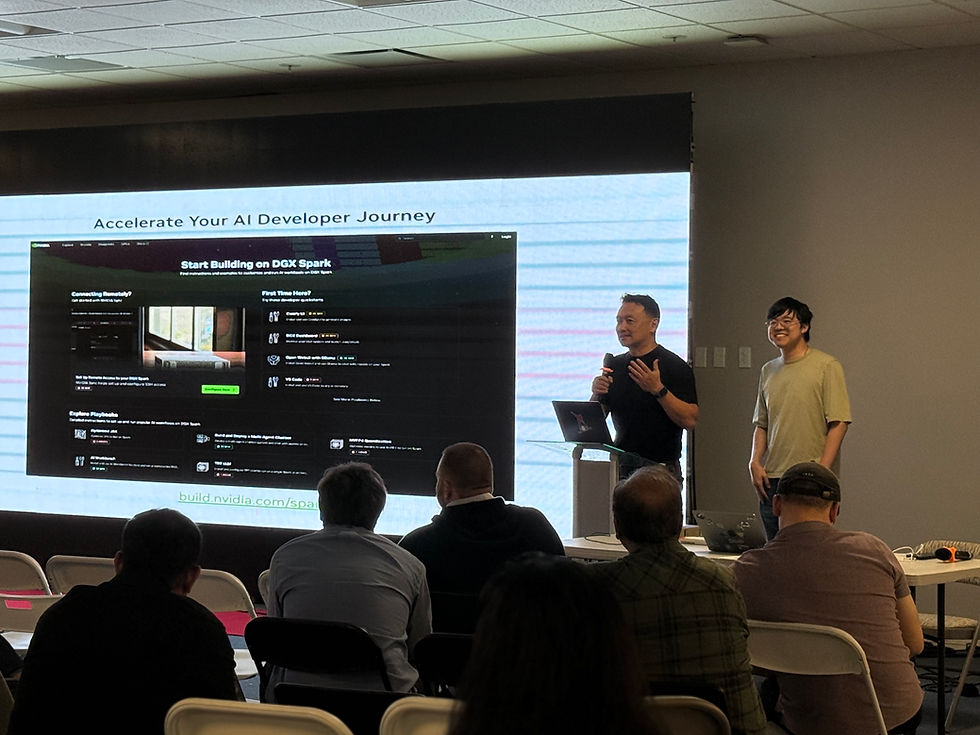
The LF Edge InfiniEdge AI Release 3.1 Code Lab brought together AI engineers, platform teams, robotics developers and infrastructure architects for an immersive session in Santa Clara. Unlike traditional slide‑driven webinars, the Code Lab emphasised hands‑on deployment and tuning of edge AI workloads. In addition to learning about the Release 3.1 improvements, participants were treated to two forward‑looking presentations: one on FeverHub, an AI‑native entertainment platform, and another on OpenClaw, a self‑hosted AI assistant gateway. This recap combines highlights from all three sessions to provide a holistic view of the event.
Release 3.1 Code Lab Highlights
Release 3.1 represents a major step forward for the InfiniEdge AI project. The Code Lab showcased how the new version improves distributed edge runtime performance, low‑latency inference optimisation, model deployment automation, edge‑to‑cloud coordination patterns and production‑grade observability. During the lab, attendees:
Set up the edge runtime and deployed models, learning how to register models and run inference pipelines.
Optimised inference by measuring latency, tuning parameters in constrained environments and evaluating trade‑offs between accuracy, latency and cost.
Explored hybrid edge‑plus‑cloud patterns, such as Kubernetes integration and multi‑node scaling strategies, to coordinate resources across edge and cloud.
Experienced OpenClaw firsthand: participants installed the gateway in minutes and connected it to models like Claude, GPT and Gemini. The session demonstrated how the ClawHub marketplace lets users install community skills with a single command.
In addition to the labs, the community discussed production challenges, contribution pathways and previewed upcoming releases. Together, these activities highlighted how InfiniEdge AI is maturing into a production‑ready framework for latency‑sensitive AI workloads.
FeverHub: An AI‑Native Entertainment Ecosystem
A second presentation introduced FeverHub, a one‑stop AI‑native entertainment ecosystem that integrates creators, fans and AI. FeverHub’s vision is to become a mobile‑first vertical‑video platform combining dual creator incentives, premium AI‑generated content and an end‑to‑end ecosystem spanning software and hardware. The presenters argued that AI‑generated media will become the dominant form of entertainment and pitched FeverHub as a pioneer in this space.
Digital persona marketplace
At the heart of FeverHub is a digital persona marketplace called Feverstars. Personas are organised into categories—premium stars, verified personas, stock personas and user‑generated personas—each with its own licensing scheme. Smart‑contract licensing locks content on‑chain, automates royalty splits and gives creators transparent dashboards. FeverHub positions itself as a platform where creators can license digital likenesses and fans can experience personalised AI‑generated content, creating a sustainable ecosystem that rewards both real‑world performers and AI creators.
User experience & go‑to‑market
FeverHub offers a dual‑mode interface. Visitors see a clean editorial interface that is search‑engine friendly, while logged‑in users unlock an immersive dark‑themed experience tailored to their interests. The go‑to‑market strategy leverages an existing user base and a library of licensed digital portraits; the team plans to seed the platform with high‑quality AI‑generated content before opening it up to the creator community. Over time, FeverHub aims to evolve beyond AI‑generated videos into interactive storytelling, gaming and AI companions, eventually culminating in physical products such as holographic assistants and home robots.
Business outlook
The FeverHub presentation outlined an ambitious roadmap for building an AI entertainment empire. Early products include FeverShort (AI‑generated short dramas) and FeverGame (interactive narrative games). Future offerings such as FeverMate (AI companion), FeverClaw (holographic assistant) and FeverBot (a home robot) illustrate how digital personas could move from screens into everyday life. The presenters estimated a total addressable market exceeding $100 billion and projected that the platform could achieve $150 million in annual recurring revenue by the third year of operation.
OpenClaw Tutorial – Building Your Personal AI Agent Gateway
The third session focused on OpenClaw, a self‑hosted AI assistant gateway originally created by the Andromeda Cluster. Eddie Fu demonstrated how anyone can build a personal AI agent that lives on their own machine and communicates through WhatsApp, Telegram, Discord, Slack or iMessage. Unlike cloud‑hosted chatbots, OpenClaw runs locally, acting as a central gateway that connects AI agents to your messaging platforms. It keeps your data on your device and gives you fine‑grained control over models, tools and access policies. The tutorial promised that with a few commands you can go from zero to a running AI assistant in under five minutes.
What is OpenClaw?
OpenClaw is described in the documentation as a self‑hosted AI assistant gateway. You install it on a laptop, desktop or VPS, then use it to bridge AI agents to multiple chat apps. The gateway exposes a WebSocket server (default port 18789) and routes messages between chat clients and the agent runtime. It supports all the major messaging platforms—WhatsApp, Telegram, Discord, Slack, Signal and iMessage—so you can talk to your assistant wherever you already chat. Key features highlighted in the docs include:
Multi‑channel inbox: connect multiple messaging apps through a single gateway.
Local‑first gateway: run everything on your own machine—sessions, channels, tools and events—so your data never leaves your control.
AI agent runtime: built‑in support for the Pi agent with tool streaming and multi‑agent routing.
Session management: per‑sender sessions with group isolation and activation modes.
Security by default: DM pairing, allowlists and sandbox isolation for group chats.
Multi‑platform apps: a macOS menu‑bar app, mobile nodes and a web control UI.
These features make OpenClaw attractive to developers and privacy‑conscious users who want a persistent, local AI assistant they can message from anywhere.
Architecture & Multi‑Agent Routing
The OpenClaw architecture comprises a gateway process that manages channels (messaging integrations), agents (AI runtimes), sessions, tools and platform apps. Messages flow through the gateway: when you send a message from WhatsApp or Telegram, the channel plugin receives it, the gateway routes it to the selected agent, the agent processes it (optionally calling tools via skills) and the response is sent back to the chat app. One of the most powerful capabilities is multi‑agent routing; the documentation explains that OpenClaw can route different channels, accounts and users to isolated agent instances, each with its own workspace and session state. This enables workspace and session isolation, model customisation and specialised agents such as a code assistant or creative writer. By defining agents and routing rules in openclaw.config.json, teams can direct Slack dev channels to a coding agent, personal WhatsApp numbers to a general assistant and Telegram groups to a research agent.
Installation & Onboarding
The tutorial walked attendees through installation. According to the installation guide, OpenClaw requires Node.js ≥22.12 and can be installed globally via npm. The recommended workflow is:
Install Node and npm: ensure Node 22+ is available on macOS, Linux or WSL2.
Install OpenClaw: run npm install -g openclaw@latest.
Run the onboarding wizard: execute openclaw onboard --install-daemon to configure your provider, API key, workspace and channels.
Verify the installation: check your version with oclau --version and run diagnostics with oclau doctor.
The wizard guides you through selecting an AI provider (Anthropic, OpenAI, Google or others), pasting your API key, choosing a workspace directory, configuring the gateway port and enabling messaging channels. On macOS and Linux the wizard can also install a daemon so the gateway starts automatically on boot.
Skills System & ClawHub
OpenClaw’s extensibility comes from its skill system. Each skill is a folder containing a SKILL.md file with YAML frontmatter and instructions. Skills teach the agent when and how to call tools—for example, a skill might define how to read a Gmail thread or control a Philips Hue light. Skills are loaded from bundled directories, managed/local directories (~/.openclaw/skills) and workspace‑specific directories (<workspace>/skills). In multi‑agent setups each agent can have its own skill directory, and shared skill folders can be configured via skills.load.extraDirs. The public registry for skills is ClawHub. You can browse skills at clawhub.com and install them with openclaw skills install <skill‑slug> or update them with openclaw skills update --all. The registry hosts hundreds of community‑contributed packages—covering communication, development, content creation and smart home/research tasks.
During the tutorial Eddie highlighted community favourites like tavily‑search for AI‑optimised web search, self‑improving‑agent for learning from mistakes and find‑skills for discovering new packages. His personal picks included notebooklm‑py, a Python API that generates slide decks and audio overviews, and Agent Reach, which gives agents read/write access to websites, YouTube, Twitter and RSS feeds. These examples illustrate the breadth of the skill ecosystem.
Advanced Features
Beyond basic chat workflows, OpenClaw includes advanced capabilities for building sophisticated agents:
Sub‑agents & sessions: multi‑agent routing lets you spawn isolated agents with their own workspace and conversation history, enabling parallel tasks and specialisation.
Cron jobs & heartbeats: agents can schedule tasks (e.g., checking email every morning) or perform periodic health checks. Heartbeats ensure your assistant stays responsive even when inactive.
Persistent memory: the agent logs conversations to daily markdown files and maintains a searchable long‑term memory file, allowing it to recall past decisions and discussions.
Browser automation: OpenClaw can drive a headless browser to fill out forms, click buttons and extract data—useful for automating web dashboards or submitting expense reports.
These features mean OpenClaw is not just a chat interface but a programmable automation platform that can orchestrate complex workflows.
Case Study: Automated Video Pipeline
To demonstrate the power of the skill ecosystem, Eddie shared a seven‑step pipeline used to produce 600 Buddhist scripture videos. The pipeline fetches text from Wikisource, generates a modern script, synthesises speech with a cloned voice, produces subtitles via Whisper, generates image prompts, builds a slide deck with NotebookLM, renders a vertical video with ffmpeg and uploads the final asset to Google Drive. Fifty volumes (~8.3% of the series) have been produced so far at a cost of roughly $0.08 per video, with each video taking 30–45 minutes of compute time. This case study shows how OpenClaw’s skills and cron jobs can orchestrate complex multimedia workflows end‑to‑end.
Conclusion
The combined sessions at the InfiniEdge AI Release 3.1 Code Lab highlighted the breadth of the edge‑AI ecosystem, from infrastructure and deployment to entertainment and personal productivity. The Code Lab taught participants how to deploy, optimise and scale AI workloads on distributed edge nodes. The FeverHub presentation painted an ambitious vision for AI‑native entertainment, where digital personas, interactive stories and AI companions could redefine how audiences engage with media. The OpenClaw tutorial closed the loop by showing how self‑hosted gateways and skill ecosystems can transform large language models into actionable personal assistants. Together, these sessions underscored that the future of AI lies not just in powerful models but in integrated platforms that connect those models to people, devices and creative workflows.


Comments